- Tech Savvy Mag
- Accounts and Security
- Is free public wifi safe to use when you travel
Is free public wifi safe to use when you travel
Using free wifi at an airport or hotel is usually safe for basic browsing, but you should adjust a few phone settings to protect your private data.
Explained by Beatrix Aldridge
Free wifi at airports and hotels is usually safe to use because most websites encrypt your data. You still need to verify the network name and be careful where you type passwords. A few simple settings will keep your accounts secure while you travel.
Why travelers get warned about airport wifi
Open networks let anyone connect without entering a password, which is why travelers get warned about them. A shared network means your laptop sits on the same network as strangers.
Older websites often did not encrypt data, which made public wifi riskier in the past, the FTC says.
Most websites now encrypt data. You still need to pay attention to what network you select from your phone menu.
Why most sites are safer on public wifi than they once were
Most websites encrypt the connection, which scrambles your data in transit. The FTC says that because encryption is widely used, connecting through a public wifi network is usually safe.
You can verify this protection by glancing at your browser. The FTC says to look for a lock symbol or https in the address bar to check a connection. The letter s stands for secure. Apps are harder to check than websites, though the FTC says most use encryption.
Some travelers also use a virtual private network. It is an optional extra, since the FTC says public wifi is usually safe because encryption is widely used.
Spot lookalike network names
Encryption protects your data in transit. It does not stop scammers from setting up their own router in a public place. Someone could set up a network with a familiar name to confuse travelers. An attacker might name their connection HotelGuest Free instead of the official Hotel_Guest_Wifi.
A fake network could expose what you do on it. You avoid this trap by asking a hotel clerk for the exact network name. Check official airport signage before you select a name in your wifi settings.
Pay attention to the spelling and spacing of the network name. Wait to ask an employee if your phone shows two networks with nearly identical names. Be cautious if the network asks you to install an app or a certificate to get online, and ask staff first.
What to avoid doing on shared wifi
You must remain alert to the sites you visit even when the connection is secure. Encryption protects your data in transit. It does not guarantee that the destination itself is honest.
The FTC warns that scammers create fake websites and encrypt them so they look safe. A fake site can show a lock symbol and https too. Data you enter there is not safe from the scammers running it.
Save your most sensitive tasks for a trusted connection when you can. Try to wait before checking your bank balance, paying a credit card or entering your social security number. Understanding how two factor authentication works can add protection even if someone steals your password through a fake site.
Use your phone's hotspot instead
You have a safer alternative when you need to handle finances on the road. A cellular connection means you are not sharing a network with strangers.
Turn off the wifi setting on your phone before you open your banking app. You can also share this secure cellular connection with your laptop. Open your phone settings, tap the personal hotspot option to turn it on and set a strong password. This broadcasts a private network from your phone that requires a password to join.
Your laptop can use the hotspot like any other wifi network. Connect to it and do your banking there instead. Turn the hotspot off when you finish to conserve your battery, as running a hotspot uses battery power. Review the habits that help your phone battery last longer if you plan to work this way during a long layover.
Settings to change before you travel
Your devices require a few adjustments to keep you secure while you travel. Phones and laptops can join saved networks automatically. That convenience can be a liability where lookalike networks exist.
Open your wifi settings and look for the option that controls auto-joining. Set your device to ask for permission before joining any new network. You should also scroll through your list of saved networks on your phone and tell your device to forget any public connections you no longer use. This can stop your phone from connecting to a network by mistake just because it shares a name with a coffee shop you visited months ago.
Software updates can patch security holes. The FTC advises turning on automatic updates for security software, the operating system and the browser. Check these settings in your system preferences a few days before your trip. A fully updated phone is better protected.
Bring your own charger plug instead of public USB ports
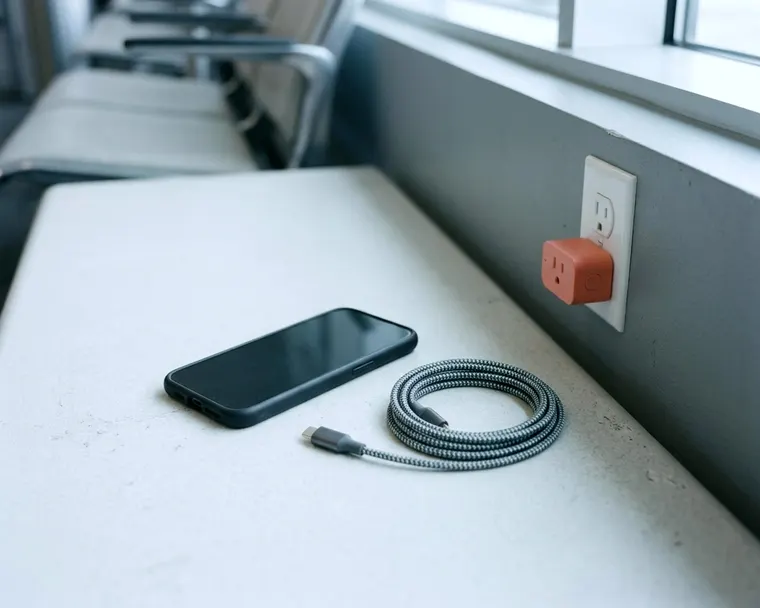
Public spaces offer charging stations to help travelers keep their phones powered up. You will often see plain USB ports built into the seats at the boarding gate. Consider using your own charger instead of plugging a cord into these public ports.
USB cables carry data along with power. That means a compromised public port at an airport or cafe could in theory try to reach your phone or the photos and files stored on it.
Your own charging block plugged into a standard wall outlet is a simple way to sidestep this risk, and it is worth packing one in your bag before any trip that involves long waits at a gate.
Pack your wall plug in your carry bag so you have it ready during layovers. If you only have a cable, you can buy a small adapter called a data blocker. This adapter sits between your cable and the public port to block data transfers while letting power through. You might also prefer to rely on a battery bank to avoid hunting for an outlet, so make sure you know the rules for taking a portable charger on a plane before you pack it.