- Tech Savvy Mag
- Smart Devices
- Do you need a smart home hub
Do you need a smart home hub
Decide if you need a smart home hub to control your connected devices and learn how a hub can keep your automations running when the internet goes out.
Explained by Barrett Ashworth
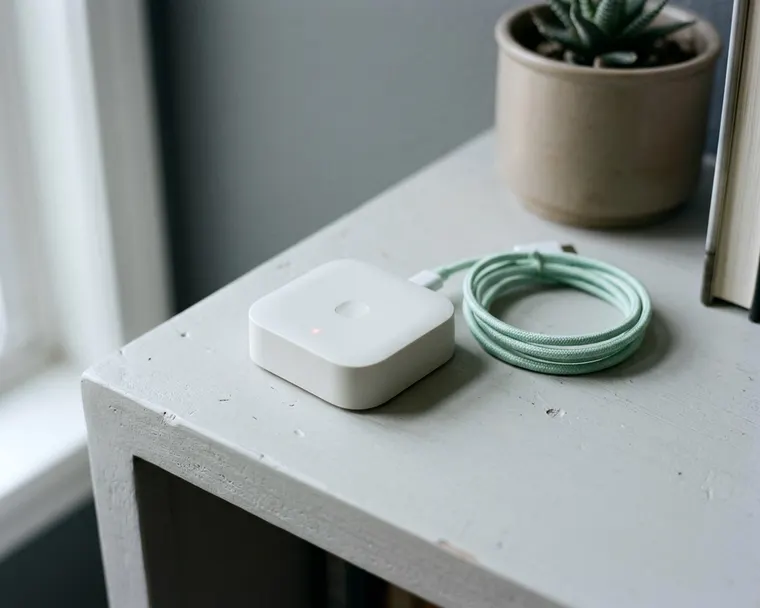
Most people only need a smart home hub if they buy gadgets from several different companies or want their home routines to run without an internet connection. You can usually control a few smart bulbs and plugs straight from a phone app. Adding a hub brings those separate pieces together.
What a hub does that a phone app does not
A smart home hub is a small physical box that stays in your house. You plug it into a power outlet and connect it to your home internet router. This box acts as a central control panel for your connected gadgets.
Most smart gadgets come with their own phone app. These individual apps usually talk to computer servers located far away. You tap a button on your screen to turn on a lamp, and your phone sends a signal out to the internet. The internet server processes your request and sends a command back to your house that finally tells your lamp to turn on.
A hub can cut out this long trip and act as a local server. Many hubs store your schedules and rules on the physical box. When you tap a button on your phone, the command goes straight to the hub. The hub then talks directly to the devices inside your home.
Translating wireless signals
Many connected devices do not use standard wireless internet. Regular wireless internet takes a lot of energy. A battery powered door sensor would die quickly if it stayed connected to a standard network all day.
Manufacturers use low power radio signals instead. These special signals can save battery life and often travel through walls better. A regular smartphone typically cannot pick up these low power signals.
Your hub acts as a translator and contains the antennas needed to read these special signals. The hub receives a low power message from your window sensor. It translates the message and sends it to your phone over your standard home network. Without a central box to translate, you may not be able to use these battery saving devices.
Devices that work fine without a hub
You can build a small automated home without buying a central box. Many basic gadgets connect straight to your regular home internet router. You just plug them in and download the app made by the manufacturer.
Smart outlets are a common starting point. You can read about safe smart outlet uses to see how they handle daily tasks. You use the provided app to set daily schedules. The outlet handles the switching over your regular home internet connection.
Smart light bulbs and connected home appliances often work the same way. People sometimes wonder if connected kitchen appliances make sense when they want to check their oven from the couch. These large appliances connect directly to your wireless router. You type in your network password during the initial setup just like you would for a new laptop.
This direct connection makes sense when you only own a few devices and have a couple of apps on your phone. You open the lighting app to dim the bedroom lamp or open the kitchen app to start the dishwasher. It is usually quick. If you only want to control a handful of items, a simple app setup is plenty.
When mixed device types make a hub worth it
Trouble starts when your collection grows. You might buy a smart lock from one maker and a thermostat from another. Then you add window sensors from a completely different company.
Each company builds its own app. You end up opening several different screens just to shut down the house for the night. Managing multiple apps quickly becomes frustrating.
A hub solves this problem by pulling everything onto one screen. You link your lock, your thermostat and your sensors to the central box. You open a single app to see every device in your home.
Overcoming manufacturer limits
Companies generally want you to buy all your gadgets from their own catalog. They design their apps to work best with their own equipment. They rarely design their apps to work with competing products.
A dedicated hub can break down these walls. Many hubs connect to gadgets from different companies, so check compatibility before you buy. You are free to buy the best light switch from one brand and the best motion sensor from another. The hub treats them all as part of the same system.
Building complete home routines
The real benefit comes from making different brands work together. You can set up a rule that locks the front door when you turn off the living room lights.
Without a hub, the lights and the lock may not talk to each other. They live in separate apps on different remote servers. A hub listens for an update from one gadget and immediately passes instructions to another.
You can program complex routines that trigger multiple actions. Opening the front door can turn on the hallway light, adjust the heating and start a music playlist. The central box coordinates all these steps automatically.
How a hub keeps automations running if the internet drops
Many standalone gadgets rely on an active internet connection to function. If a heavy storm knocks out your service, your phone apps stop working. The devices lose contact with their remote servers.
A motion sensor might see you walk into a dark room. It tries to send a message to the internet server to turn on the light. The message fails because the connection is down. You are left standing in the dark.
A hub with local control keeps your routines running locally. The motion sensor sends its signal straight to the hub. The hub sends a command straight to the light bulb. The outside internet is not needed for that step.
Local control can also make your devices react faster. The signal only travels across the room instead of traveling to a distant server and back. The delay can drop from a noticeable pause to a barely noticeable one. The light can turn on as soon as you step through the door.
This local reliability is one reason people buy a hub. They want the house to function smoothly regardless of outside network problems.
Hubs and your privacy
Every device that connects to the internet shares some data. Some companies may track when you turn on the lights or open the garage door. They may use this information to understand how their products perform and to build customer profiles.
You might prefer to keep your daily routines private. An outside company does not need to know exactly when you leave for work every morning or when you turn off your bedside lamp.
A local hub helps limit the data leaving your house. When your devices talk directly to the central box, they may not need to check in with a distant server. The daily logs of your activity can stay on the hardware in your living room, though some hubs still use cloud services, so check the privacy policy.
You still need to practice basic network security. You can look up ways to block outside traffic to make sure unwanted visitors stay off your home network.
With a compatible hub you may be able to block internet access for your individual smart plugs and bulbs. You configure your home router to deny internet access to those specific items. The hub can handle the remote control duties locally. The individual pieces stay hidden from the public internet, reducing the chances of someone accessing them from outside.
How to decide before you buy
Look at what you already own. Count the different apps you use to control your home. If you only use a couple of apps, you probably do not need the extra hardware. Stick to simple wireless devices and enjoy the easy setup.
Think about your plans for the house. If you plan to add water leak sensors, motorized blinds and smart door locks, a hub can save you a lot of frustration later. Buying a hub early can open up more battery powered sensors and may take some strain off your main internet router. A standard router can struggle to maintain connections if you add many individual smart bulbs.
Weighing the trade-offs
Setting up a central system takes time and patience. You have to buy the hub itself, which adds an upfront cost. You will spend an afternoon linking your existing gadgets to the new box. You have to recreate any schedules or rules you previously set up in the old apps.
You might have to reset a stubborn light bulb a few times before the hub recognizes it. You will need to organize your devices into rooms on the new screen. It is a hands-on project that requires some technical troubleshooting.
Once the initial work is done, the daily experience gets much simpler. You gain one unified dashboard for the whole house. You may get faster response times and more privacy. Decide if that clean daily operation is worth spending a weekend configuring menus.