- Tech Savvy Mag
- Smart Devices
- What you can safely plug into a smart outlet
What you can safely plug into a smart outlet
Find out what devices you can safely plug into smart outlets for home use and which appliances to keep off them to avoid overloading your circuits.
Explained by Barrett Ashworth
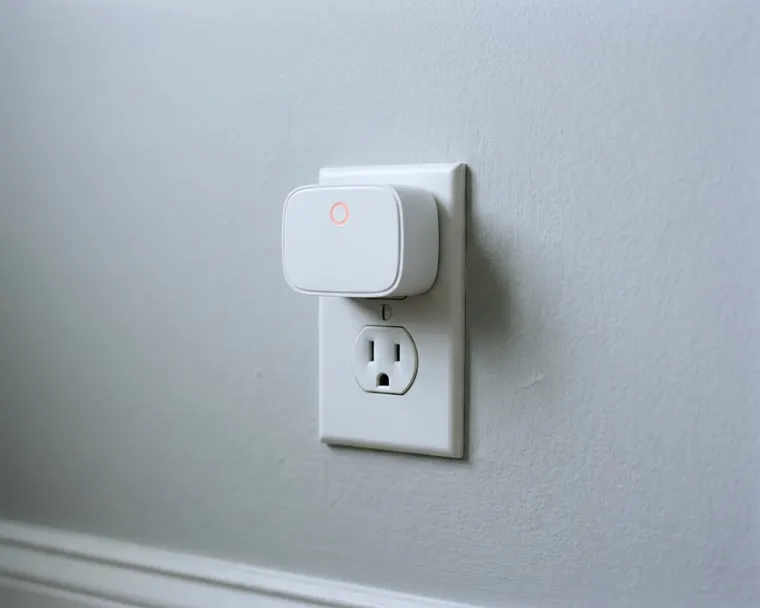
A plug-in smart outlet works best for simple devices like lamps and holiday lights. You plug the smart unit directly into your wall, connect it to your wifi network, and plug your appliance into it. Heavy appliances and anything that creates heat can draw more than the plug is rated for. Pushing a smart outlet too hard poses a serious fire risk.
Set up your smart outlet on the wifi network
Getting your plug online is usually quick. You will need your phone and your home wifi password to finish the connection.
- Push the smart plug straight into a standard wall outlet.
- Wait for the light on the side or front to start blinking.
- Download the maker's app from your phone's app store and create an account.
- Tap the plus button to add a device and select your exact model.
- Enter your home wifi password when the app prompts you.
A blinking light usually means the plug is ready to pair, but check your plug's manual. Some plugs only work on a specific wifi band.
If the app fails to find the device, you might need to troubleshoot your slow connection. Moving closer to the router for setup often helps.
Give the plug a clear name in the app once it connects. A name like living room floor lamp makes schedules easy to manage.
If you name it something vague, you will quickly forget what it controls. You can always change the name later if you move the plug to a different room.
Read the electrical limits on the plug label
Every smart plug has a printed label on the back or bottom. The text is small and often gray. You might need to take a photo with your phone and zoom in. This label lists the maximum electrical load the hardware can safely handle.
Ratings vary by model, so read your plug's label and manual. One smart plug manual lists a maximum rating of 15 amps and 1,875 watts for resistive loads. Satco says its load data relates to resistive loads, so check whether your device is one.
Pushing electronics to the absolute limit for hours is a bad idea. Another plug maker advises keeping the total connected load at 80 percent or less of the plug's maximum rated power for continuous use. Applying this limit leaves a margin below the plug's maximum rating.
Good jobs for a plug-in smart outlet
Lighting is a good job for a smart plug. Satco's manual lists lamps among the allowed loads within the plug's rating, so compare the bulb wattage with the plug's label.
Fans are a gray area. Satco's manual lists motors such as fans as not recommended or limited, so check your plug's manual before you use one.
Holiday lights make another excellent candidate. You can plug a string of indoor tree lights into a smart unit to turn them off from the couch.
If you plan to automate exterior holiday lights in the yard, check the back of the plug first. Only use a plug rated for outdoor use. The Satco manual says its plug is for indoor use only and not for use near water.
Appliances that heat, such as a coffee maker, are a poor match. The Satco manual says not to use the plug with cooking devices unattended or with appliances that could cause a fire if switched on inadvertently.
A smart plug only cuts and restores power, so a heating appliance could switch on with no one nearby.
An appliance with a hard toggle switch left on would start heating the moment the plug restores power. If you want to automate heavy kitchen equipment, consider upgrading to smart appliances instead of using add-on plugs.
Keep heavy motors and heat away from the outlet
Smart plugs are built for simple convenience. They are not meant to handle massive surges of power or dangerous appliances. A space heater belongs directly in a wall outlet, not on a smart plug that could switch it on while no one is there.
The danger comes from both heavy power draw and automated control. That manual says not to use the plug with appliances that generate heat unattended, such as space heaters, heating pads and cooking devices. A forgotten schedule could turn a heater on while you are asleep. CPSC says to plug electric space heaters directly into a wall outlet and never into an extension cord or power strip.
Large motors are just as dangerous. When a heavy motor starts, it pulls a sudden spike of electricity. This spike gets the heavy motor spinning. It can be higher than the running wattage printed on the appliance label.
That maker says plugs are not recommended for motor loads with high startup current, such as air conditioners, refrigerators and washing machines. The sudden surge from a refrigerator compressor can exceed the plug's rating and damage it.
Satco warns that exceeding a plug's rating could lead to its destruction, a fire or an electrical accident.
Skip the extension cords and power strips
A smart plug belongs right in the wall receptacle. Adding power strips or extension cords to the chain creates physical risks.
Satco also says not to plug a smart plug into another smart plug.
The bigger danger lies in overloading the internal relay. Plugging a power strip into a smart plug asks the plug to manage every device at once. The same maker notes power strips are not recommended.
You might think you are only running a few small items. A phone charger, a monitor and a desk lamp all pull power at the same time.
Stringing a smart plug and an extension cord together adds more points that can fail.
Keep the arrangement simple. Plug the smart unit directly into the wall. Plug exactly one device into the smart unit.
Put your connected devices on a daily schedule
Once your safe devices are plugged in, let the app handle the daily routine. The schedule function replaces old mechanical dial timers with exact digital control.
Many apps let you set lamps to turn on at sunset and off at a time you choose.
With a sunset schedule, the on time shifts with the seasons.
Some apps have an away mode that switches lights on and off at random times while you are out of town.
Not every app includes this feature.
You can also use schedules to enforce boundaries. A smart plug can cut power to the television at a set time late at night. You could schedule a fan to turn off an hour after you go to sleep.
Turning devices off on a schedule may save some electricity.