- Tech Savvy Mag
- Wifi and Routers
- Wifi 6 or wifi 7 and which one your home needs
Wifi 6 or wifi 7 and which one your home needs
Deciding on wifi 6 vs wifi 7 comes down to your devices and your internet plan speed. Learn which router standard fits your home network needs.
Explained by Beatrix Aldridge
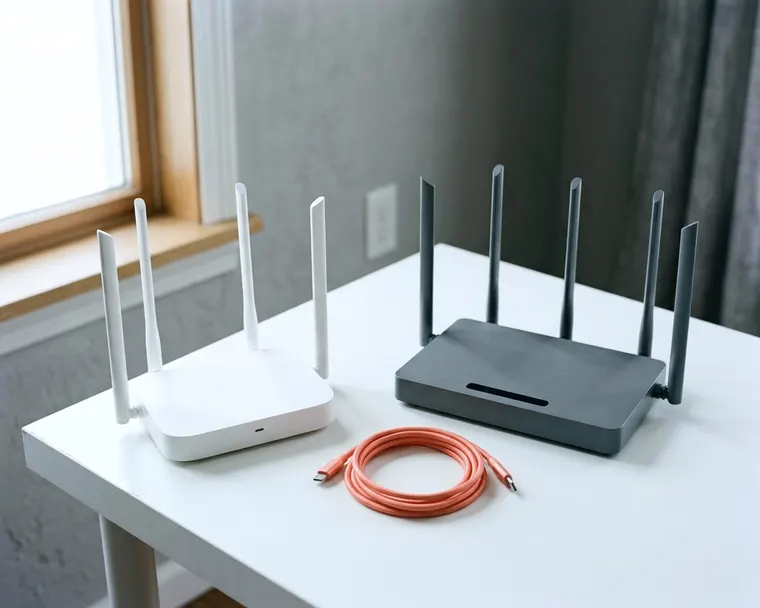
A wifi 7 router can offer higher top speeds and handle crowded networks better than a wifi 6 model. You only see those benefits if you have a fast internet plan and compatible devices built for the standard. For most homes, a wifi 6 router handles everyday streaming and browsing without a problem.
How wifi standards evolved from 6 to 7
Wifi standards update every few years to move more data at once. The wifi 6 features include OFDMA, target wake time, 160 MHz channels and 1024 QAM. These tools help routers organize traffic and keep connections steady when dozens of smart home gadgets talk at the same time. Target wake time lets the router tell a smart thermometer exactly when to wake up and send data, which saves battery life on small sensors because they spend less time listening for a signal.
OFDMA divides a wireless channel into smaller pieces. This lets the router talk to a phone and a laptop in the exact same transmission cycle. Then wifi 6E arrived and added access to the 6 GHz band. The Wi Fi Alliance says the 6 GHz band helps devices perform in congested environments.
The Wi Fi Alliance introduced Wi Fi CERTIFIED 7 on January 8, 2024. This standard expands the wireless highway again. Wifi 7 supports 320 MHz channels, which are available only in countries that open the 6 GHz band to wifi, so check the FCC website or your router maker for what is allowed where you live. The 4K QAM in wifi 7 achieves 20 percent higher transmission rates than 1024 QAM.
Technology | Wifi 6 | Wifi 7 |
|---|---|---|
Top channel width | 160 MHz channels | 320 MHz channels |
Modulation format | 1024 QAM | 4K QAM |
Another major addition is multi link operation. Multi link operation in wifi 7 lets devices send and receive data over several links at the same time. Older standards generally use one band at a time. Wifi 7 can use several links at once, which the Wi Fi Alliance says reduces latency and improves reliability.
Your phones and laptops set the speed limit
A router acts like a traffic cop, but your devices are the cars on the road. A router can only send data as fast as the phone or computer can catch it. An older laptop connects to a wifi 7 router using older rules. It ignores the 320 MHz channels and multi link operation entirely.
You need wifi 7 chips inside your electronics to see a difference. Expensive phones and high-end computers ship with these parts. When an older laptop connects, the router steps down to match the older standard. The router still broadcasts a wifi 7 signal for the high-end phone, but it speaks an older language to the laptop.
Smart home devices use very little data. Many makers put basic 2.4 GHz chips in products like a smart outlet to keep costs down. A smart plug is unlikely to use a 320 MHz channel. A premium router may not make your smart lights respond any faster.
If you plan to keep your older electronics for a while, they will operate exactly as they do on your existing network. Upgrading the router alone will not make an old phone load web pages faster. The receiving device always dictates the maximum speed of the connection.
Your internet plan caps your home network
Router boxes advertise massive speed numbers on the packaging. Those ratings often reflect wireless speed inside your house, not your internet speed. If you transfer a video file from a desktop computer to a laptop in the living room, a better router speeds that up. Most people care more about downloading files from the internet.
Your connection to the outside world relies on your internet service provider. Your internet plan sets the top speed that reaches your house. A replacement router cannot invent speed that the provider does not supply. If your internet plan is the bottleneck, you will not notice a difference between wifi 6 and wifi 7.
Internet service providers sell plans in tiers. Basic plans usually offer lower speeds than premium ones. To understand the difference, think of your internet connection as a water pipe entering your house and the router as the showerhead. If the pipe only delivers a trickle of water, a fancy showerhead cannot increase the water pressure.
Your hardware setup also matters, as you need a capable modem to receive the signal from your provider before the router broadcasts it. Understanding the difference between a modem vs router helps you replace the right part. If your plan offers slow speeds by design, upgrading your router is a waste of money. You can rule out common reasons your wifi is slow before buying equipment.
The 6 GHz band and how far it reaches indoors
Wireless signals travel through the air as radio waves. Lower frequency waves stretch out and pass through walls easily. The 2.4 GHz band reaches the furthest into your yard and penetrates brick or wood, but it moves data slowly. The 5 GHz band carries more data and stops shorter.
The 6 GHz band carries the most data of all. It also struggles the most with solid objects. A plaster wall, a heavy wooden door or a metal refrigerator can weaken a 6 GHz signal. To get the fastest speeds from a newer router, your device needs a clear line of sight to the box.
This physical limit changes how you set up a home network. Placing one powerful router in a basement closet may not deliver 6 GHz coverage to a second-floor bedroom. If you want high speeds in every room, a single router may fall short, and a mesh system can help.
A mesh network uses a main router plugged into your modem and several satellite nodes placed around the house. The nodes talk to each other to blanket the house in a strong signal. If you live in a large home with a lot of brick walls, a mesh system may be the best way to get consistent speeds.
Deciding between a wifi 6 and wifi 7 upgrade
Your choice comes down to what you do online and how much you pay your internet provider. A wifi 6 router is the practical choice for most households. It handles streaming video to a television, browsing social media and running smart home accessories without a hitch.
A wifi 7 router makes sense if you pay for one of the fastest plans your provider sells. It helps if you download massive video game files or upload large video projects for work. People who live in dense apartment buildings may also benefit, since multi link operation can avoid congestion.
Some shoppers buy premium hardware to future proof their homes. Buying a wifi 7 router today may keep it useful as you buy newer phones and laptops, but no one can promise what future devices will need.
Prices for new technology often fall over time. If your home network works fine today, waiting to upgrade saves you money. By the time you own enough wifi 7 devices to make a difference, routers may cost less.
How to read router boxes to find what matters
Manufacturers print huge speed totals on the front of router boxes. These numbers often add the maximum theoretical speeds of every band together. No single device is likely to reach that total, so treat the big number as a marketing figure.
Look at the fine print on the back of the box instead. Check the speed rating for each specific band. Strong 5 GHz performance matters because many everyday devices rely on it. Also check the physical ports on the back of the router.
If you pay for a multi-gigabit internet plan, your router needs a port that accepts that incoming speed. A standard gigabit port can limit a faster connection before it even reaches the air, so look for a faster port such as multi-gigabit. Wired connections still matter on a wireless router because a desktop computer or a gaming console runs better when plugged directly into the router with an Ethernet cable.
Pay attention to the processor inside. A router is essentially a small computer dedicated to directing traffic. If many devices connect at once, a weak processor may struggle to keep up.