- Tech Savvy Mag
- Battery and Care
- How to test a household battery before you throw it out
How to test a household battery before you throw it out
Find out if your old batteries still have life left by using a basic battery tester or a multimeter before you take them to a recycling drop-off.
Explained by Barrett Ashworth
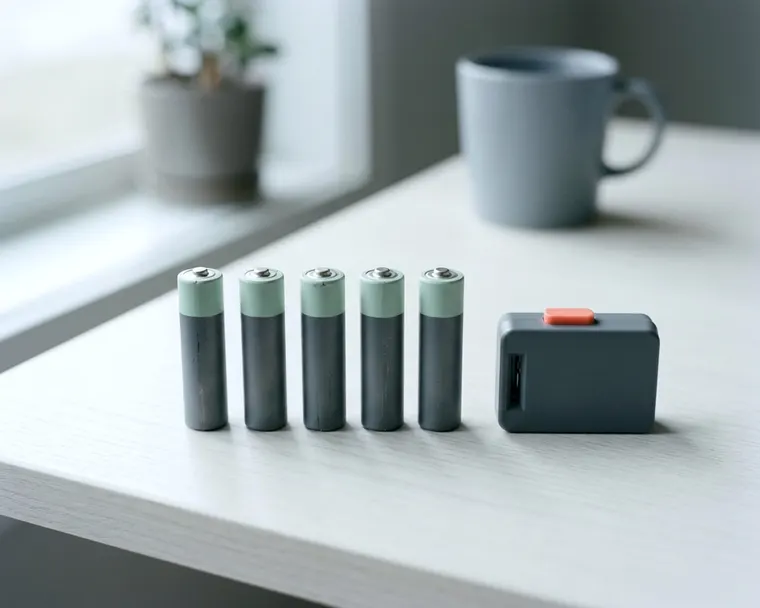
You can check if a household battery still holds a charge by placing it in a basic battery tester or touching its ends with the probes of a multimeter. These tools read the remaining voltage to tell you if the battery is completely dead, weak, or full.
Why a battery that looks fine can be weak
A household battery works like a tiny chemical factory. It stores energy in the form of specific chemical compounds. As the battery powers a device, those chemicals react and change state. The physical metal shell hides this entire process.
You cannot look at a standard AA battery and tell if the factory inside is full or completely empty. The chemical reaction slows down as the compounds get used up. This slowdown reduces the electrical pressure the battery can deliver. That pressure is called voltage.
Different household devices require different levels of electrical pressure to turn on. A television remote control only needs a tiny push of electricity. It will keep working even when the battery chemistry is nearly depleted.
A digital camera requires a massive, steady push of power. It may refuse to turn on once the battery loses some of its original voltage. The battery itself is not entirely dead, but it is useless for that specific high-drain device.
This mismatch creates confusion. You might pull a battery out of a motorized toy because the toy stopped running. The battery looks completely fine. If you toss it in the trash, you throw away useful power that could still run a wall clock.
Try it in the device first
Testing a questionable battery does not always require special equipment. You can use the gadgets you already have around your house as makeshift testing stations. A wall clock with moving hands provides a simple visual test.
Take the battery you want to check and push it into the clock. If the second hand ticks forward, the battery has enough voltage to push a small mechanical load. If the hand twitches but stays in place, the battery is almost completely exhausted.
Television and soundbar remote controls also work well for a quick check. Most remotes have a small indicator light at the top. Put your questionable AA or AAA battery in the remote and hold down the volume button. A bright, steady flash usually suggests the cell has a decent charge.
You have to be careful when testing batteries in pairs. Many electronic devices require two or four batteries to operate. If you mix a fresh battery with a nearly dead one, the device might still turn on. The strong battery carries the weak one.
This group dynamic gives you a false impression of the old battery. Always test questionable batteries one at a time in a single-cell device to get an honest answer.
Use a basic battery tester
A basic battery tester removes the guesswork from checking your loose cells. These testers are usually inexpensive and sit easily in a utility drawer. Most models feature a sliding plastic arm that adjusts to fit different battery sizes.
You pull the arm back, slide a cylindrical battery into the cradle, and let the arm snap tight against the flat end of the cell. The metal contacts on the tester touch the positive and negative ends of the battery.
The moment they connect, the tester draws a small amount of electricity. This method is called battery load testing. It forces the battery to do a little bit of work while measuring its output.
A battery can show a high voltage when it sits doing nothing. A load test helps reveal the actual energy left inside. You will see the result on the display immediately.
Older or cheaper testers use an analog dial. A red needle sweeps across a colored scale. On many testers the green section on the far right means the battery is strong and ready to use.
The yellow section in the middle tells you the battery is weak. You can still use a yellow-rated battery in a low-drain device, but it will fail in a motorized toy. The red section on the far left means the cell is completely empty.
Digital battery testers operate on the same principle but provide a precise reading on a small liquid crystal display. The screen shows a bar graph that fills up from left to right. Many of these testers include small metal studs on the side to check a nine-volt battery.
Read a multimeter result with care
A digital multimeter offers another way to check a loose battery. Many households keep a multimeter in the garage for basic electrical repairs. You can use it to test a battery, but you have to understand exactly what the tool tells you.
Turn the central dial on the multimeter to the direct current voltage setting. Pick up the two testing probes. Hold the red probe against the raised positive bump on the battery.
Hold the black probe against the flat negative bottom. The screen will instantly display a voltage reading. A brand new alkaline AA battery often shows a reading close to or slightly above its rating.
As you use the battery, that number drops steadily. A reading that falls slightly below the official rating indicates a partially depleted battery. A reading that drops much lower usually means the cell is nearly dead.
Read this result with care. A standard multimeter does not perform battery load testing. It measures the voltage while the battery rests.
A weak battery can still show a high resting voltage. The multimeter will read that voltage and may make the battery look healthy. Once you place that battery into a demanding gadget, the voltage may drop and the device may turn off.
You have to keep this limitation in mind. A completely dead reading on a multimeter is accurate, but a strong reading on an old battery might be misleading.
Which batteries are worth testing at all
Not every dead or dying battery deserves a second chance. Alkaline batteries can leak when they run down or sit in a device for a long time.
Leaked fluid is corrosive and can damage the metal contacts inside your electronic devices. It makes little sense to keep a weak alkaline battery around.
If your tester shows an alkaline cell in the yellow zone, it is often wiser to retire it. The risk of damaging a good television remote can outweigh the small amount of electricity left in the cell.
Specialty batteries warrant a much closer look. Lithium coin cells often cost more than standard cylindrical batteries and can last a long time on the shelf. A weak coin cell may still power a simple device for a while.
Understanding what a CR2032 battery powers helps you see where these small silver discs do their best work. It is worth testing these cells before tossing them.
Safety devices require strict rules. You rely on smoke alarms to wake you up in an emergency. They need a healthy battery to sound the alarm. You should never try to squeeze extra life out of a questionable battery by placing it in a smoke detector.
If you ever pause to wonder when to change the battery, the safest action is to install a new battery of the type the alarm maker specifies. Leave the weak batteries for your flashlights and your wireless computer mice.
Sort the dead ones for safe recycling
A battery goes into a dedicated pile for disposal once your tester confirms it is dead. Check your local rules before putting dead batteries in your kitchen trash can or curbside recycling bin, since many areas ask you to take them to a drop-off point. Waste management facilities use compactors to crush household trash.
When compactors crush a battery, it can short out and create a fire hazard.
You need a simple system to manage dead batteries at home. Find a sturdy plastic container with a secure lid. Keep it in a cool, dry closet away from direct sunlight. As you test your batteries, drop the completely dead ones into this bin.
You must take one extra precaution before throwing a lithium battery into the storage container. Lithium cells can still hold energy even when they seem dead to a basic tester. If a lithium coin cell touches other batteries in your bin, it may cause a short circuit and a fire.
Cut a small square of clear household tape and press it firmly over both sides of the lithium battery. Blocking the electrical contacts makes it possible to dispose of lithium batteries safely and helps keep your home safer, but check your local guidance for lithium batteries.
You have to take your plastic container to an appropriate facility when it fills up. Some hardware stores keep a battery drop-off bin. Ask staff how to hand over your taped and sorted batteries.
Local sanitation departments may also accept household batteries at hazardous waste centers. A trip to a drop-off point helps keep heavy metals out of the soil and reduces the risk of trash fires.