- Tech Savvy Mag
- Battery and Care
- Can you take a portable charger on a plane
Can you take a portable charger on a plane
Check the capacity label on your portable battery charger and pack it safely, then confirm current limits on the FAA PackSafe page and with your airline.
Explained by Barrett Ashworth
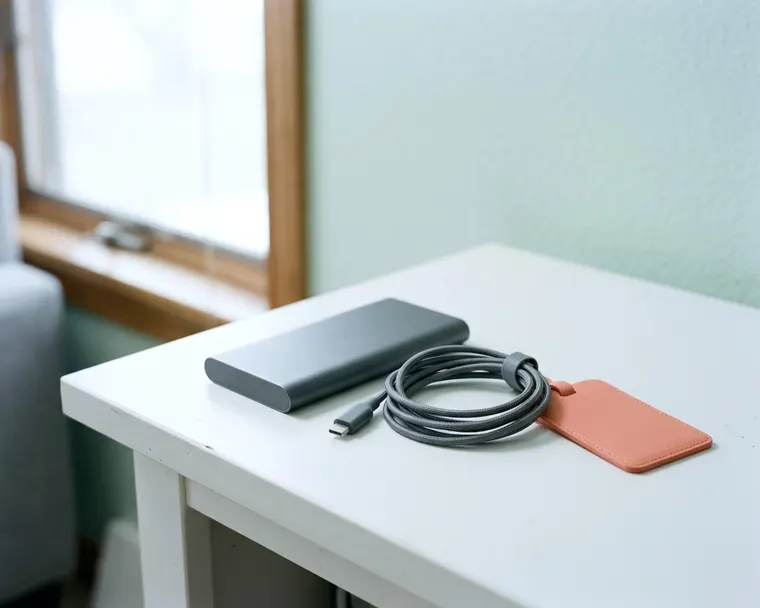
Rules for flying with a portable battery charger come from the FAA and your airline, so check both before you pack. The two things you can do yourself are read the capacity label and protect the charger from damage and short circuits. Here is what to look for and where to confirm the current limits.
Why airlines treat power banks differently from other gadgets
A phone has a battery inside it, while a portable charger is mostly battery in a plastic or metal shell. That is why airlines and aviation authorities have specific rules for spare lithium batteries, which you can read on the FAA PackSafe page and your airline's site.
A lithium battery that is damaged or short circuited can overheat and start a fire. Protecting the charger from both is the part you control.
Where a charger travels on the aircraft also matters to the rules, so follow what the FAA and your airline say about carry-on and checked bags.
Rules can differ by airline and country, so confirm yours before you fly instead of assuming.
Look for signs of battery damage before you pack
Do not travel with a power bank that looks damaged. A damaged lithium battery can be unsafe, and your airline or local waste program can advise on what to do with it.
Inspect your charger a few days before you travel. Look closely at the outer casing. Cracks or deep dents mean the internal cells might be compromised, so you should leave a broken unit at home. You can find safe ways to dispose of lithium batteries through local waste programs.
Pay special attention to the shape of the device. Lithium batteries sometimes swell up when they start to fail. A bulging casing is a major warning sign. If your device rocks back and forth when you set it on a flat table, the battery may be swelling, so stop using it.
Leave a swollen or cracked charger at home and replace it, since the risk is not worth taking.
Find the watt hour rating on the label
The watt-hour rating is the number to know when you check the rules for your charger.
You need to find this rating on your device before you pack. Manufacturers usually print the specifications on the bottom edge or the back of the charger. The text is often tiny. You might need to angle the device under a bright light to read the faint gray lettering.
Look for a prominent number followed by the letters Wh. This tells you the exact watt-hour rating. If your device only shows milliamp-hours and volts, you can multiply amp-hours by volts, but the safer move is to check the manufacturer's website or support for the watt-hour rating. You can also search the manufacturer website for your exact model to find the official specifications.
Do not peel the specification label off your charger, since it is the easiest way to show its capacity. If the text wears off, look up the model on the manufacturer's website.
Check the current limits on the FAA PackSafe page
The FAA publishes guidance for traveling with lithium batteries on its PackSafe page. Visit that page before a trip to read the current limits, because this article does not list them.
The page explains which batteries need extra steps, so compare your charger's watt-hour rating with what it says.
If your charger is large, such as one meant for a laptop or camping gear, ask your airline before you fly.
Rely on the FAA page and your airline rather than travel blogs, since rules can change.
Smart luggage and its battery
Some suitcases have charging ports powered by a battery pack inside the bag. The rules for flying with one depend on that battery, so check the FAA PackSafe page and your airline before you travel.
Some airlines have specific rules about checking a smart bag with a battery inside, so ask yours before the trip. If the rules call for it, the battery should come out of the bag.
Airlines may ask you to be able to remove the battery, even from a carry-on bag.
Practice removing the battery pack at home if it is designed to come out. If the battery is not removable, ask your airline whether the bag is allowed.
Protect the terminals when you pack
Tossing a loose power bank into your backpack creates a hazard. The open ports on the device are the electrical terminals. If a metal object touches the metal contacts inside those ports, it can create a short circuit.
Keys, loose change or metallic pens roaming around your bag can easily wedge into a port. You must protect the terminals from this accidental contact before you leave for the airport.
You can secure the charger in a few simple ways:
- Keep the charger in its original retail packaging.
- Place the battery in a dedicated protective pouch.
- Cover the open ports with a strip of electrical tape.
- Put the device inside a heavy plastic sandwich bag.
Pack the protected charger where you can reach it easily. Keeping it accessible saves you from digging through your clothes if someone asks to see it.
What to expect at the checkpoint
Screening procedures are set by TSA, so check the TSA website for what to expect with batteries and electronics.
If a screener asks to inspect the charger, follow their instructions.
A readable capacity label helps you show what the charger is.
Packing it where you can reach it quickly keeps any inspection short.
What to do when your bag is checked at the gate
Flights often run out of overhead bin space. When this happens, the gate agent may ask passengers to check larger carry-on roller bags at the door. People often forget what they packed in their luggage during this stressful moment.
Take your portable battery charger out of the roller bag before you hand it over, because the bag is going into the cargo hold. Check the FAA PackSafe page and your airline for what is allowed in checked bags.
Transfer the charger to the smaller personal item you are taking to your seat. A purse, a laptop bag or a small backpack works perfectly. If you do not have a second bag, put the battery in your jacket pocket.
Check before you hand the bag over, since an airline may refuse or delay a bag with a spare battery inside.
Check your airline rules before you fly
The FAA page is a starting point, and your airline may have its own policies. You should always read the baggage rules on your specific carrier website a few days before departure.
Airline policies can cover things like how many spare batteries you can bring and how to protect their terminals. Finding out about these rules at the ticket counter causes unnecessary stress.
On an international trip, foreign airlines and aviation authorities may have different rules, so check them with the airline you are flying.
A clear capacity label is useful at any checkpoint, at home or abroad.
You might wonder if free public wifi is secure enough to check airline policies at the airport. Wait until you have a secure connection before you log into your airline account.