- Tech Savvy Mag
- Smart Devices
- How a smart garage door controller works
How a smart garage door controller works
A smart garage door controller wires into your existing opener so you can open or close the door from a phone and get alerts whenever the door moves.
Explained by Barrett Ashworth
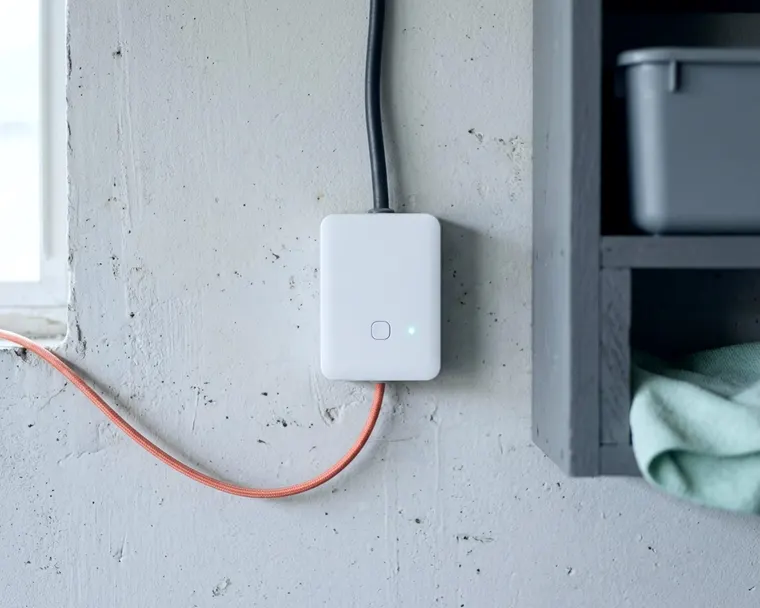
A smart garage door controller is a small bridge device that wires into your existing motor and connects to your home network. The setup lets a phone act as a remote control from anywhere. The app also sends alerts if the door opens unexpectedly.
How a smart controller talks to your opener
The new device acts exactly like the physical push button on your garage wall. Many openers accept a simple wired signal, like the wall button, to trigger the door. Two wires run from the smart hub to the motor terminals.
They connect to the exact same screws that the wall switch uses. The hub closes the circuit for a brief moment when you tap the open button in the app. The motor interprets this as a physical button press and runs the door.
The hub also needs to know the position of the heavy door. A smart controller kit includes a small sensor that attaches directly to the garage door panel. This component talks to the main hub over a local wireless signal.
Some kits use a tilt sensor containing a small ball bearing. The ball rests at the bottom of a tube when the door is vertical and closed. The ball rolls to the other end when the door rolls up the track and goes horizontal. The sensor notices this physical shift and radios the hub.
Other brands use a magnetic contact sensor instead. One magnet mounts to the moving door and the other to the fixed wall frame. The hub knows the door opened when the magnets pull apart. The hub relays this status through your wifi router to the phone app.
Check that your opener is compatible
Many openers have standard terminals that accept a retrofit controller. Following the wires from your wall button up to the motor housing on the ceiling confirms the setup. CPSC urges homeowners to replace older openers that do not reverse.
The US Consumer Product Safety Commission requires garage door openers made or imported for sale in the US after January 1, 1991 to have reversing systems. CPSC says an opener that does not automatically reverse should be repaired or replaced with a new reversing opener.
Opener brands differ in how they connect. Some brands use a specialized digital signal for their wall panels instead of a basic closed circuit. A digital system often requires a specific adapter module from the smart controller manufacturer.
An adapter, where needed, translates the signal. The maker's compatibility guide lists the hardware for your model, so have the motor's model number ready.
Mount the door sensor and wire the controller
Check the maker's instructions for the time and tools needed. The process starts by mounting the door sensor to the top panel of your garage door.
Many door sensors use a small coin battery, so check the maker's battery type and life. This small plastic block sticks or screws securely to the inner face of the top door panel. You slide the plastic cover off to replace the battery when the app warns of a low charge.
Mount and power the hub as the maker's instructions say, and ask a licensed pro if you are unsure about wiring. The provided bell wire then runs from the hub to the motor terminals. The setup app guides the process of joining the hub to your home network.
Garages can have weak wifi reception. You can check for reasons your wifi is slow before you mount any hardware. Loading a video on a phone while standing near the motor confirms the signal strength.
A stuttering video suggests the hub may struggle to stay connected. Moving the router closer to the garage or adding a mesh node may help.
Safety features that must stay in charge
A smart controller should leave the opener's built-in safety features working. A federal requirement for external entrapment protection, such as an electric eye, was added in 1993.
The CPSC says an electric eye should be installed 4 to 6 inches above the floor. These photoelectric sensors sit on either side of the garage door track. They shoot an invisible beam across the opening.
The opener's sensors are meant to stop the door when something is in the doorway. The smart controller only sends the close signal, so test that those sensors still work.
What the app shows when the door will not close depends on the product.
Alerts, schedules and shared access
Adding internet control means a phone can check the door status from an office or a vacation spot. The app allows custom rules for different times of day. Many apps can send a notification if the door stays open too long.
Some systems can also close the door on a schedule. Test the opener's reversing system first, since a door closing unattended depends on it.
The app grants access to family members or neighbors without handing over a physical remote. Some apps limit access to certain days or times and let you revoke it later. Check which sharing options your app offers.
The garage app can often link to a smart home voice assistant. A voice command to a smart speaker closes the garage from the kitchen. Many systems offer a voice PIN before opening the door.
A spoken PIN can be overheard, so choose one you do not use elsewhere. A nighttime routine can tie the garage to other devices. A single command can turn off lights, lock the front door and shut the garage if your devices support it.
Test the auto reverse after installing
Test the reverse function after any change to the opener. The CPSC advises testing the reverse by placing a 2x4 on the floor in the door's path. The wood lays flat on the garage floor in the door's path.
The app triggers a close command while you stand out of the way. The door should come down, strike the wood block and properly reverse.
Check the electric eye too, using the method in your opener's owner's manual.
The CPSC says to inspect the garage door and opener every 30 days to ensure these systems function properly. Regular testing helps keep a remote command from forcing the door down on a vehicle or a person.
Stop using a door that fails the test until a pro repairs it
A door that hits the wood block and stops instead of reversing is dangerous and must not be used. CPSC says non-reversing openers have trapped children under closing doors.
Stop using the opener's automatic operation. CPSC says to keep it disengaged until it is adjusted according to the owner's manual, repaired or replaced. If you are unsure, ask a professional garage door technician.
The door can still open and close manually while you wait for a repair. CPSC describes pulling the quick release mechanism to detach the door from the opener. If the door is unbalanced or sticks, have a professional service it. Whether the smart controller still reports the door position depends on the product.
A power outage can also mean manual operation, since the opener and the hub may lose power.
Many hubs reconnect when power returns, but check the app to confirm the door status.
Keep the app account secure
A smart controller acts as a digital key to the house. A weak password leaves the garage vulnerable to unauthorized entry. The garage app requires a unique password that does not secure any other accounts.
You can use a password manager to generate a long string of random characters. The manager fills the password in automatically so you never have to remember it.
A good step is to turn on two-step verification in the app settings if the app offers it. This is how two factor authentication works to secure a digital home. The app may send a code to your phone during a login attempt.
A person with only the password usually cannot sign in without your phone. The app settings also list which phones and tablets have access to the account. Removing any old devices you no longer own keeps the digital perimeter tight.